Token Authority Decisions: Revoke, Transfer, or Retain Control
When to revoke mint and freeze authority, make metadata immutable, renounce or transfer ERC-20 ownership, and lock Sui capabilities, with step-by-step screenshots and checklists for each chain.
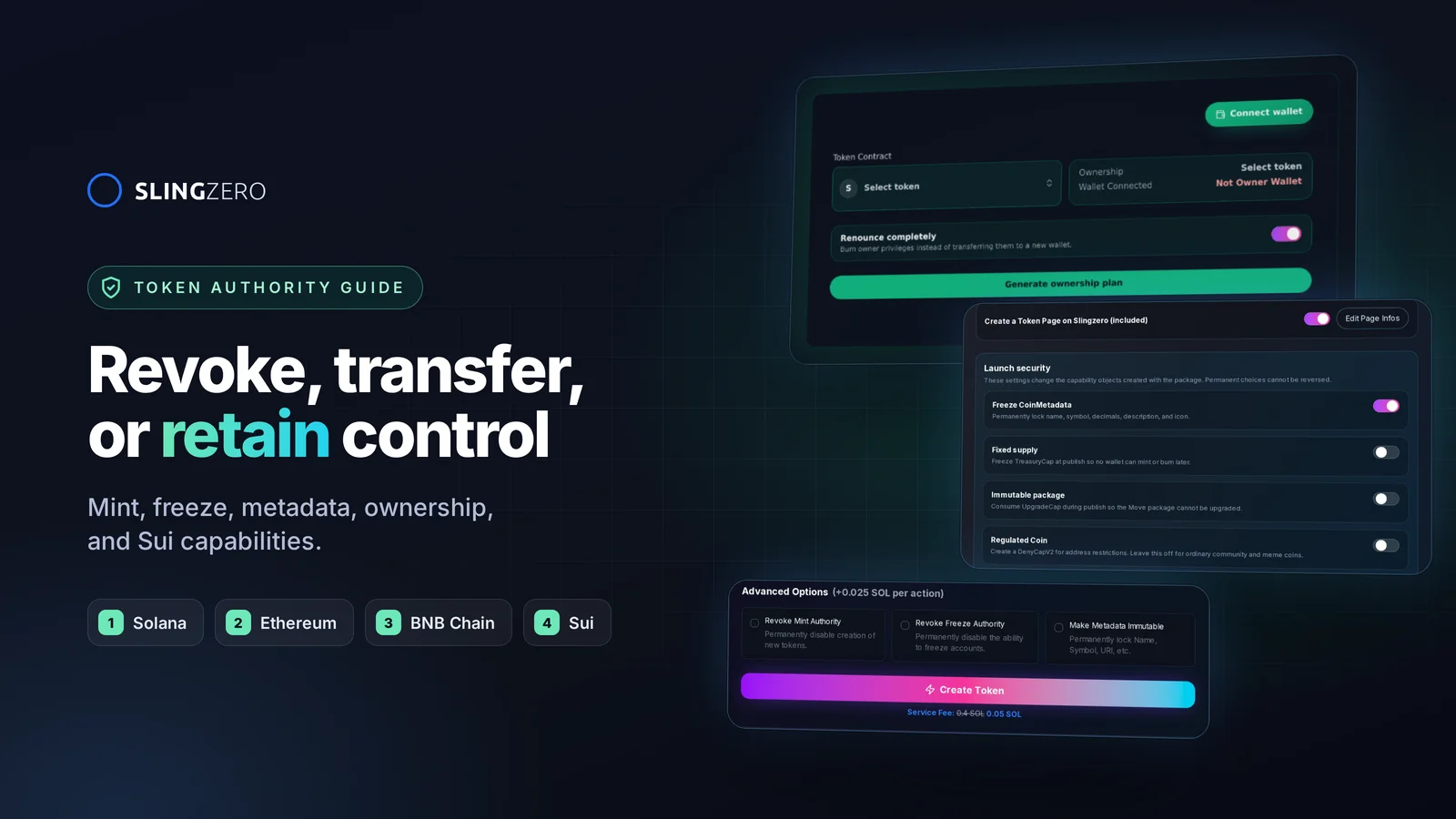
Revoke, transfer, or retain: the short answer
Every token control falls into one of three choices:
- Revoke it when the project has finished using it and holders should be able to verify it can never be used again. Example: revoking Solana mint authority after the final supply is minted.
- Transfer it to a multisig, DAO, or operations wallet when the control is still needed but should not depend on one key. Example: moving ERC-20 ownership or a Sui
TreasuryCapto a multisig. - Retain it with a published policy when the project still needs it for emissions, upgrades, or compliance. Example: keeping mint authority for a documented vesting schedule.
How to do each, by chain:
- Solana: Revoke Mint Authority, Revoke Freeze Authority, and Make Metadata Immutable, or select them in the creator at launch.
- Ethereum: Revoke or Transfer ERC-20 Ownership.
- BNB Chain: Revoke or Transfer BEP-20 Ownership.
- Sui: lock capabilities at publish in Create Sui Token, later with Fix Sui Checks, or move them with Transfer Capabilities.
Safety rule: never treat a button label as proof of what a transaction does. Read the current authority or owner state, review the exact transaction, and verify the result on an explorer before announcing the change.
Start with the exact control, not the word "authority"
Confirming that a token exists is only the first check. The next question is who can change it. Can the team mint more supply? Can a wallet freeze accounts? Can an owner update fees? Can metadata change after people buy? Can a Sui capability create more coins?
Those questions all concern control, but the mechanism differs by network and contract. Removing a control reduces what an issuer can change, and it can also make a planned operation impossible. Match each decision to the actual on-chain function.
Token authority by chain
For source-level definitions, use Solana's SPL Token Basics, the ERC-20 standard, the BNB Chain BEP-20 proposal, and Sui's Currency Standard.
Solana SPL token authority
Solana SPL tokens have three main controls:
- Mint authority: can create additional tokens.
- Freeze authority: can freeze specific token accounts.
- Metadata update authority: can change the name, symbol, image, and URI.
For community tokens and meme coins, revoking mint authority is the standard fixed-supply signal. Revoking freeze authority reassures holders their accounts cannot be frozen. Making metadata immutable proves the branding cannot be silently changed.
Ethereum ERC-20 ownership
The ERC-20 standard defines the token interface. It does not require an owner or a universal renounceOwnership function. A specific contract can add an owner or role-based admin that controls minting, fees, exclusions, pausing, upgrades, or recovery. Read the deployed source and the current role state rather than assuming powers from the ERC-20 label.
BNB Chain BEP-20 ownership
BEP-20 tokens are EVM contracts, and ownership implementations vary in the same way. Check the verified contract and current owner on BscScan, including any mint, tax, exemption, blacklist, pause, or upgrade controls.
Sui capability control
Sui coins are controlled by capability objects:
- TreasuryCap: authorizes minting and burning.
- UpgradeCap: authorizes package upgrades.
- CoinMetadata: holds the name, symbol, decimals, description, and icon. It can be frozen.
- DenyCap: only on regulated coins; controls the address deny list and optional global pause.
On Sui, the authority question is which of these objects exist, who owns them, and whether they were frozen or consumed.
How to revoke token authority on Solana
Option 1: revoke at launch in the token creator
The fastest path is to decide during creation. The Solana Token Creator has Advanced Options to revoke mint authority, revoke freeze authority, and make metadata immutable in the same launch flow, for 0.025 SOL per selected action.
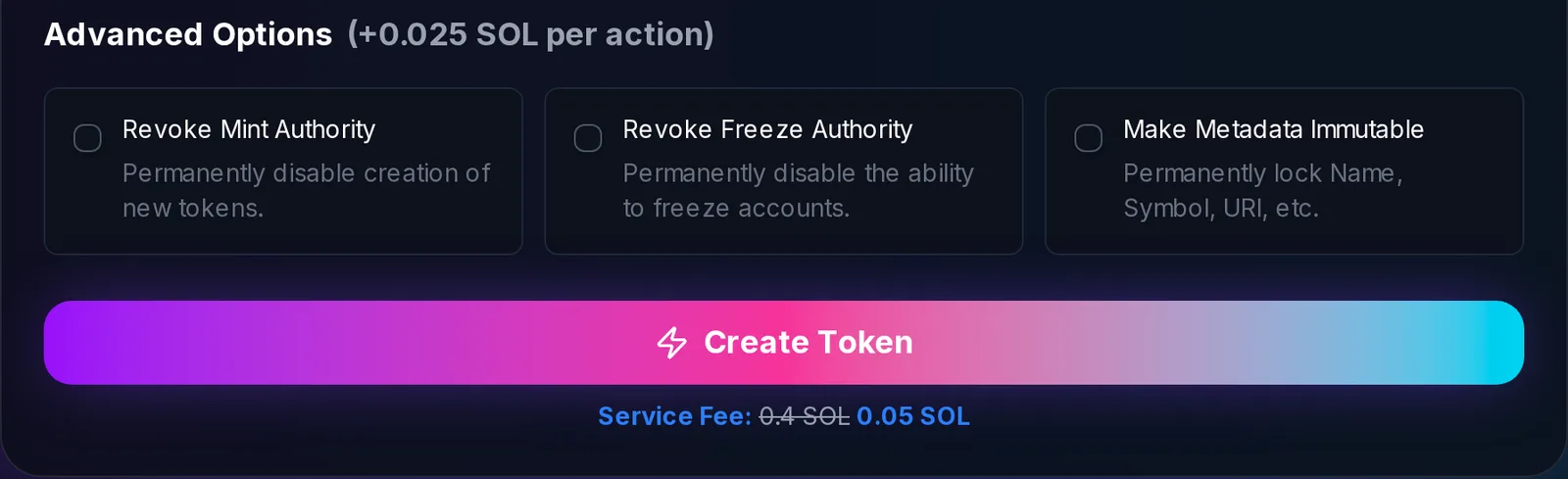
Only select these at launch if your full supply is minted in the creation transaction and the metadata is final.
Option 2: revoke mint authority after launch
Open Revoke Mint Authority, connect the wallet that holds mint authority, select the token or paste its mint address, and approve the transaction.
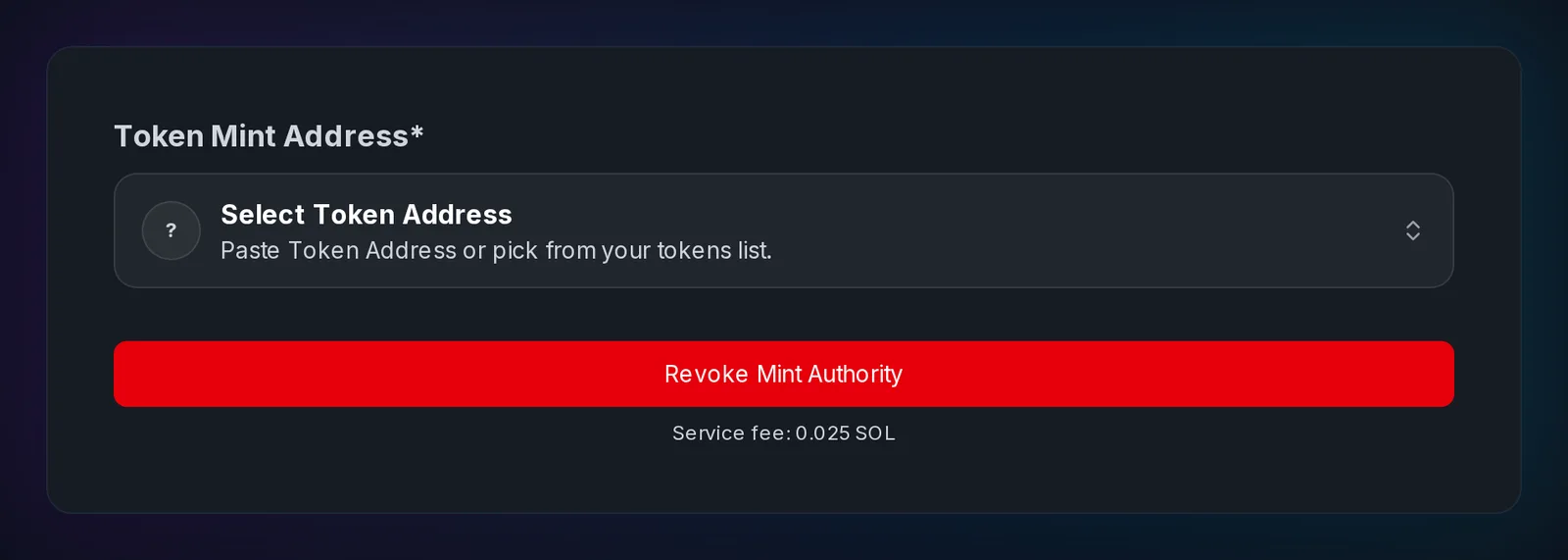
Before revoking mint authority:
- Confirm the final supply is correct.
- Confirm treasury, team, airdrop, and liquidity allocations are minted.
- Save the mint address and current supply.
- Announce that supply will become fixed.
- Publish the transaction signature after confirmation.
Revoke freeze authority
Use Revoke Freeze Authority the same way. Before revoking:
- Confirm no compliance or security policy requires freeze control.
- Check whether any token accounts are currently frozen; unfreeze them first with Unfreeze Account if needed.
- Explain the decision to holders and publish explorer proof.
Make metadata immutable
Make Metadata Immutable permanently locks the name, symbol, URI, and image.
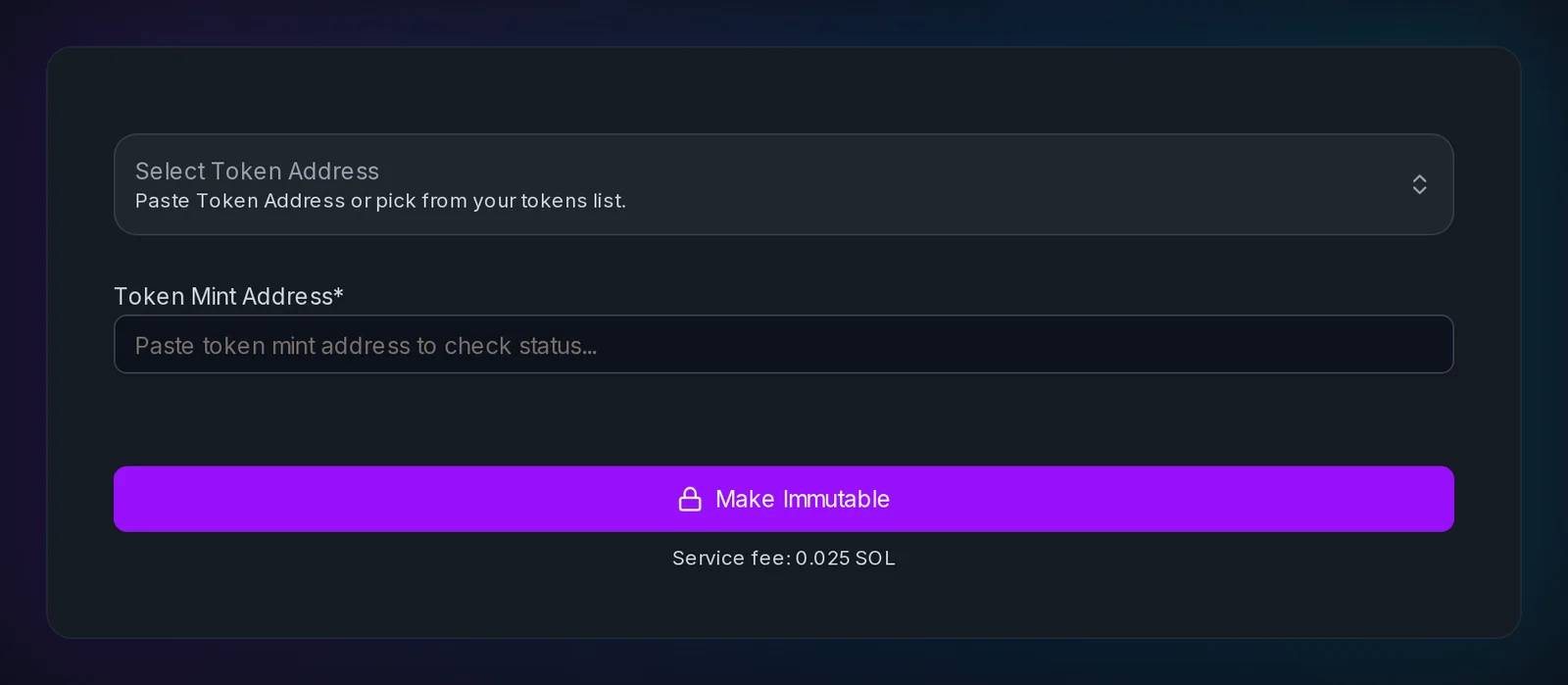
Before locking metadata:
- Review the name, symbol, description, logo, and URI.
- Check that wallet and explorer previews look right.
- Make sure the website and social links are durable.
- Fix anything with Update Metadata first. After immutability, typos are permanent.
How to renounce or transfer ERC-20 and BEP-20 ownership
EVM ownership can control several features at once, so treat it as a contract-specific decision. The Ethereum Revoke Ownership and BNB Chain Revoke Ownership tools support both paths: turn on Renounce completely to burn owner privileges, or turn it off and enter a new owner address to transfer them. Generate ownership plan shows the current owner and the change before you sign.
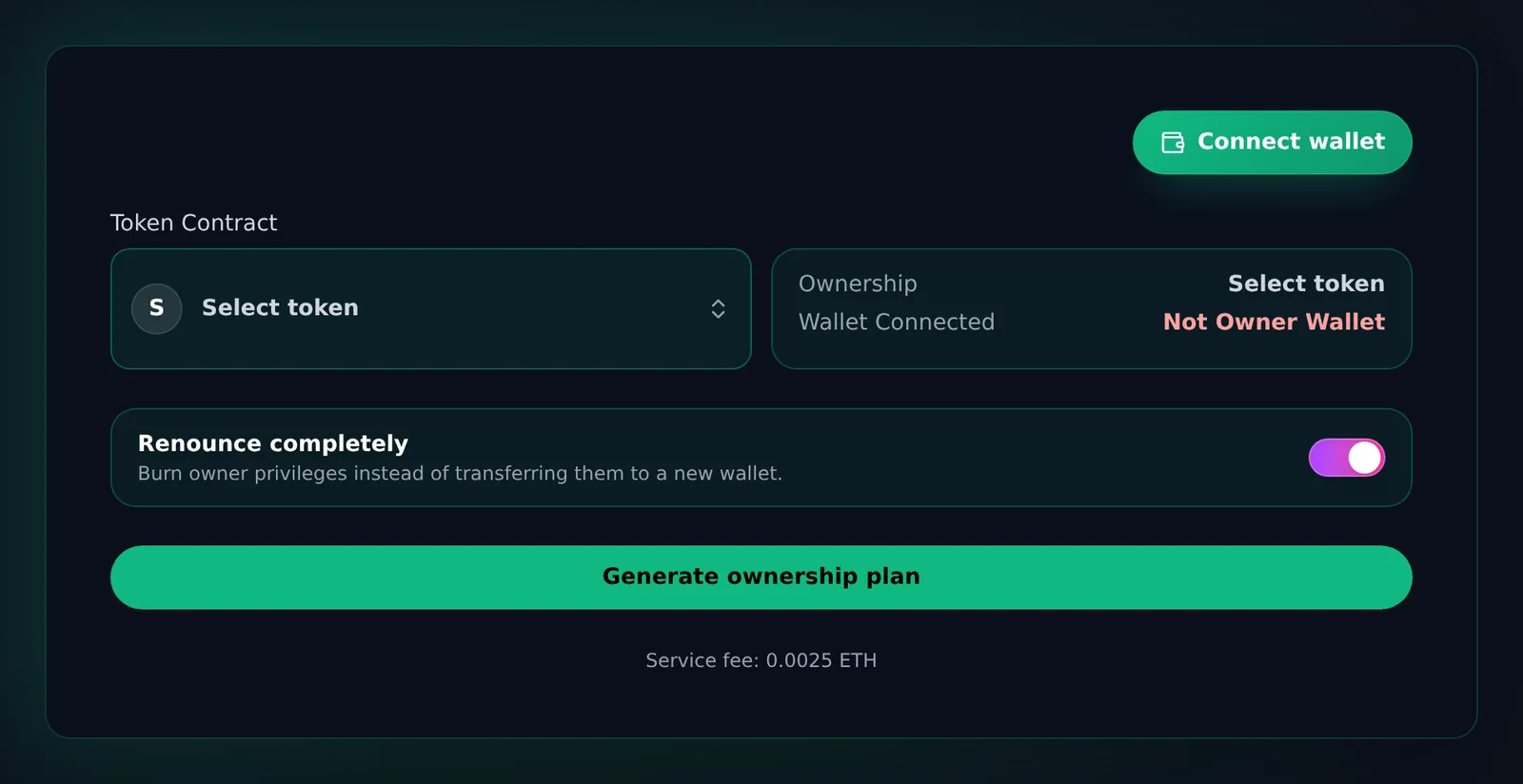
Before renouncing or transferring ownership:
- List every owner-only function in the contract: mint, tax, pause, blacklist, fee, and limits.
- Decide between renouncing, transferring to a multisig, or keeping ownership for now.
- If transferring, double-check the destination address and that it can sign.
- Tell the community before the transaction if it affects operations.
- Confirm the new owner state on Etherscan or BscScan.
- Link the transaction from your official website.
Renounced ownership vs. multisig ownership
Renouncing removes the owner path defined by that contract. Nobody can use the owner functions again, including to fix mistakes. A multisig keeps the owner path but requires a threshold of signers, which removes single-key risk while preserving documented operations. A multisig-owned token is not ownerless, so disclose the signers and threshold.
How to lock or transfer Sui capabilities
At publish: Launch security settings
The Sui Coin Creator lets you lock capabilities in the publish transaction itself. Freeze CoinMetadata, freeze the TreasuryCap for a fixed supply, consume the UpgradeCap for an immutable package, and optionally create a regulated coin with a DenyCap.
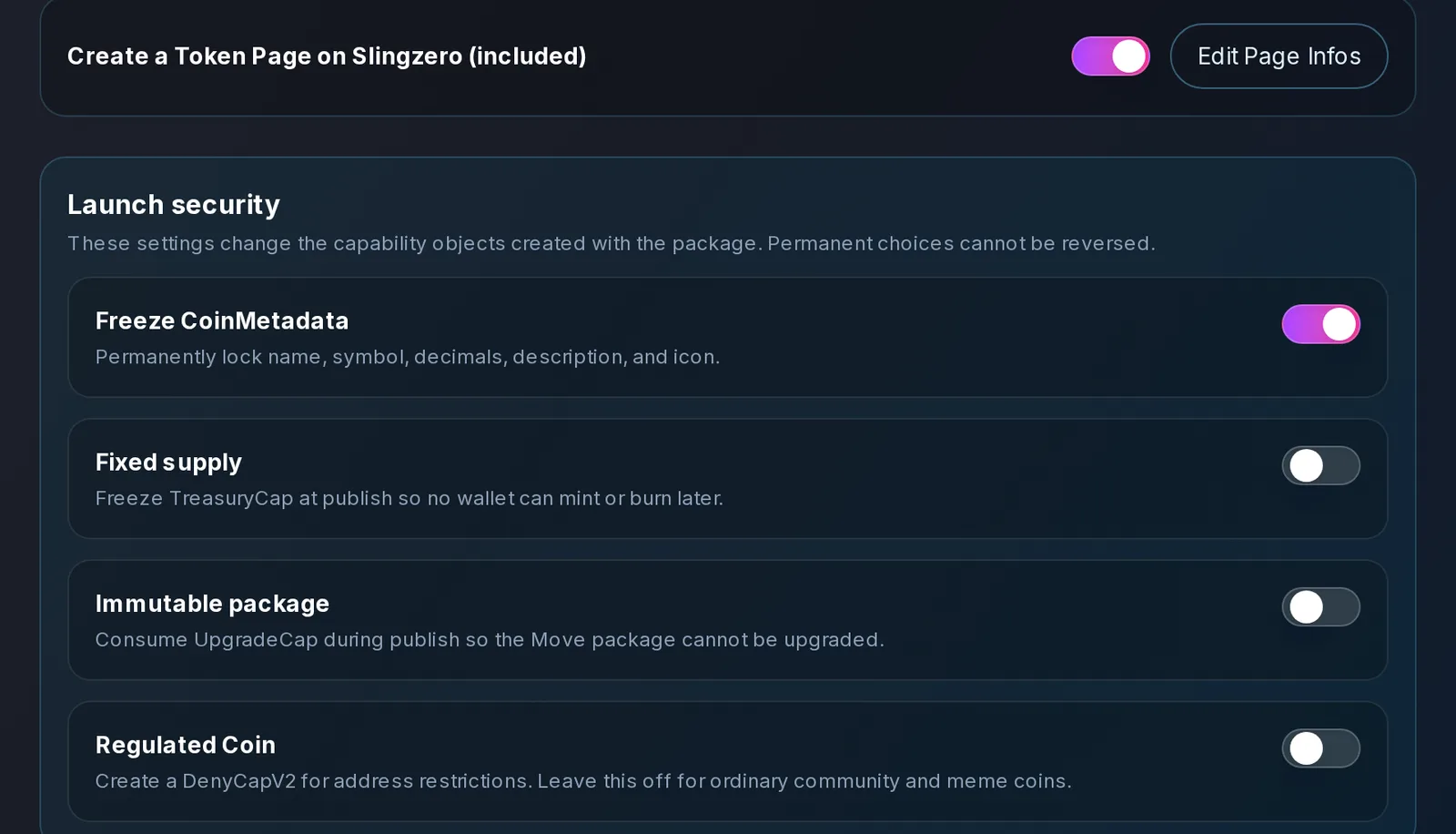
See How to Create a Sui Coin for what each setting does.
After launch: Fix Sui Checks
Fix Sui Checks audits a coin you control: it checks CoinMetadata, TreasuryCap, DenyCap, and UpgradeCap ownership, then fixes all available checks in one transaction.
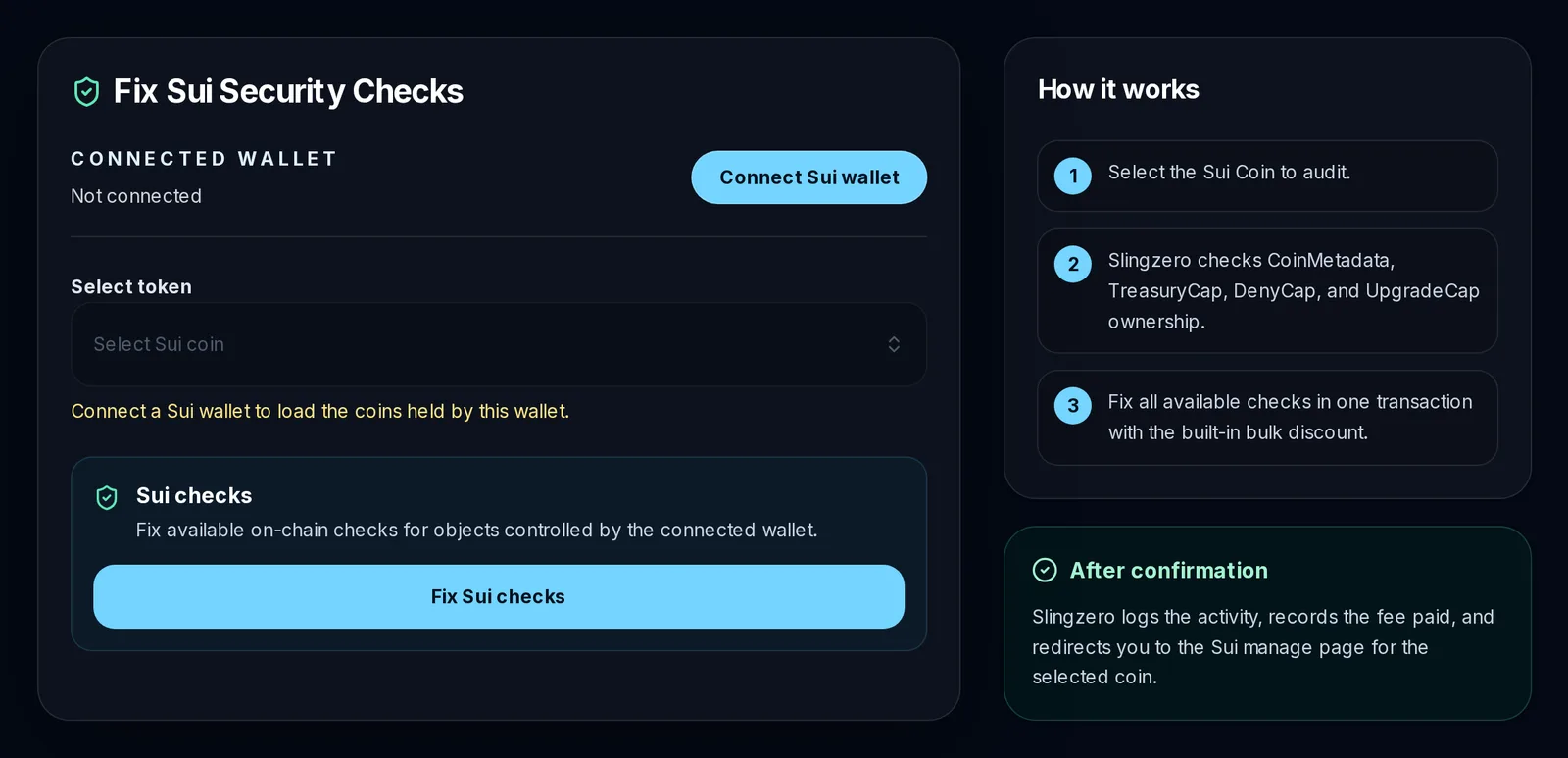
To hand a capability to a multisig or DAO instead, use Transfer TreasuryCap or Transfer Capabilities.
Sui capability checklist:
- Identify the TreasuryCap, UpgradeCap, CoinMetadata, and any DenyCap.
- Decide for each: freeze, transfer, or keep.
- Document whether future minting or package upgrades are possible.
- Keep the transaction digests in your launch record.
When revoking authority is the right move
Revoke a control when the project has finished using it and does not expect to need it again:
- The token supply is final.
- It is a meme coin or community token where fixed supply is expected.
- The roadmap does not require future minting.
- Metadata is final and the project wants to prevent brand changes.
- An integration or listing requirement calls for the control to be absent.
When keeping authority is safer
Revocation is usually irreversible, and a rushed revoke can create operational risk. Keep a control, temporarily or permanently, when:
- The token uses emissions, vesting, or rewards that require future minting.
- The project is in beta and metadata may need correction.
- A compliance model requires freeze or deny-list controls under strict rules.
- The contract owner controls features the team still needs.
- Ownership will move to a multisig or DAO after a public vote.
- The token is still being audited or integrated.
If you keep authority, do not hide it. Publish which wallet or multisig holds it, what it can do, why the project still needs it, when the policy will be reviewed, and where holders can monitor changes.
What to publish about token authority
Authority status is operational evidence. Your official token page should include:
- Chain and token standard.
- Mint address, contract address, or coin type.
- Supply status.
- Mint and freeze authority status (Solana).
- Metadata immutability status.
- Owner or admin status (EVM) or capability custody (Sui).
- Liquidity pool address.
- Explorer links and the date of each authority change.
Announcement templates
Solana:
We have completed the planned token authority update for [TOKEN]. Mint authority is revoked, freeze authority is revoked, and metadata is immutable. Official mint: [ADDRESS]. Transaction proofs: [LINKS]. Liquidity pool: [LINK]. All future updates will be posted from this website and our official channels.
Ethereum or BNB Chain:
We have updated ownership for [TOKEN]. Contract: [ADDRESS]. Ownership is now [renounced/transferred to multisig]. Transaction proof: [LINK]. Liquidity pool: [LINK]. This update matches the authority policy published before launch.
Sui:
We have published the Sui coin package for [TOKEN]. Coin type: [TYPE]. Capability custody: [POLICY]. Transaction proof: [LINK]. Future supply and upgrade policy are documented here: [LINK].
Common token authority mistakes
Revoking mint authority before minting all planned supply
If mint authority is revoked before treasury, liquidity, or vesting allocations are minted, the supply plan can never be completed.
Making metadata immutable with a typo
Metadata mistakes become permanent once immutability is enabled. Check the token in wallets and explorers first.
Renouncing EVM ownership without reading the owner functions
Some owner functions are operationally important. Understand exactly what will be lost before renouncing.
Keeping authority without a public policy
Holders assume the worst when authority is retained silently. A short, clear policy prevents that.
Publishing proof only on social media
Social posts get buried. Put authority proofs on your website, then share that page everywhere.
Trusted verification links
- Solana Explorer for mint, freeze, metadata, and transaction proof.
- Etherscan for ERC-20 contracts, owner state, and source verification.
- BscScan for BEP-20 contracts and ownership status.
- Suiscan for Sui packages, objects, and coin types.
FAQ: revoking token authority
Fast answers for founders comparing token launch, authority, liquidity, and post-launch workflows.
What does revoke mint authority mean?
The current mint authority can no longer create new tokens. On Solana, this is the standard way to prove an SPL token's supply is fixed.
How much does it cost to revoke token authority?
On Slingzero, each Solana authority action (revoke mint, revoke freeze, or make metadata immutable) has a 0.025 SOL service fee, whether selected at creation or done later. The ERC-20 ownership tool currently costs 0.0025 ETH. Network fees are separate, and each tool shows its fee before you sign.
Is revoking token authority reversible?
Usually not. Revoking Solana mint or freeze authority, making metadata immutable, renouncing EVM ownership, and freezing Sui capabilities are permanent. Treat them as irreversible unless the specific contract clearly provides another path.
Should every token renounce ownership?
No. Some tokens need controlled ownership for emissions, upgrades, compliance, or operational safety. What matters is documenting the authority and protecting it with strong custody.
What is better: renounced ownership or multisig ownership?
They solve different problems. Renouncing removes the owner path entirely; a multisig keeps it but requires several signers. Choose after listing the functions the project must still perform and the failures it must be able to recover from.
How do I make a Sui coin's supply fixed?
Freeze its TreasuryCap. You can do this at publish with Fixed supply in the Sui Coin Creator, or later with Fix Sui Checks.
How do I prove authority was revoked?
Publish the token address, transaction hash, explorer link, and current authority status on your official website. Slingzero's Activity page keeps a record of each action.
Final recommendation
Write the authority policy before launch, record the state immediately before and after each change, and publish explorer proof from a project-controlled page. For Solana, review mint, freeze, and metadata authority separately. For EVM tokens, inspect the deployed contract's owner and role functions. For Sui, name each capability object and its custodian. Planning your launch end to end? Use the token launch checklist.