How to Create a Sui Coin: Step-by-Step Guide (No Move Code)
Create a Sui token in a few minutes: fill in the coin details, pick your launch security settings, and publish a Move-native Coin package from your own Sui wallet. Screenshots for every step.
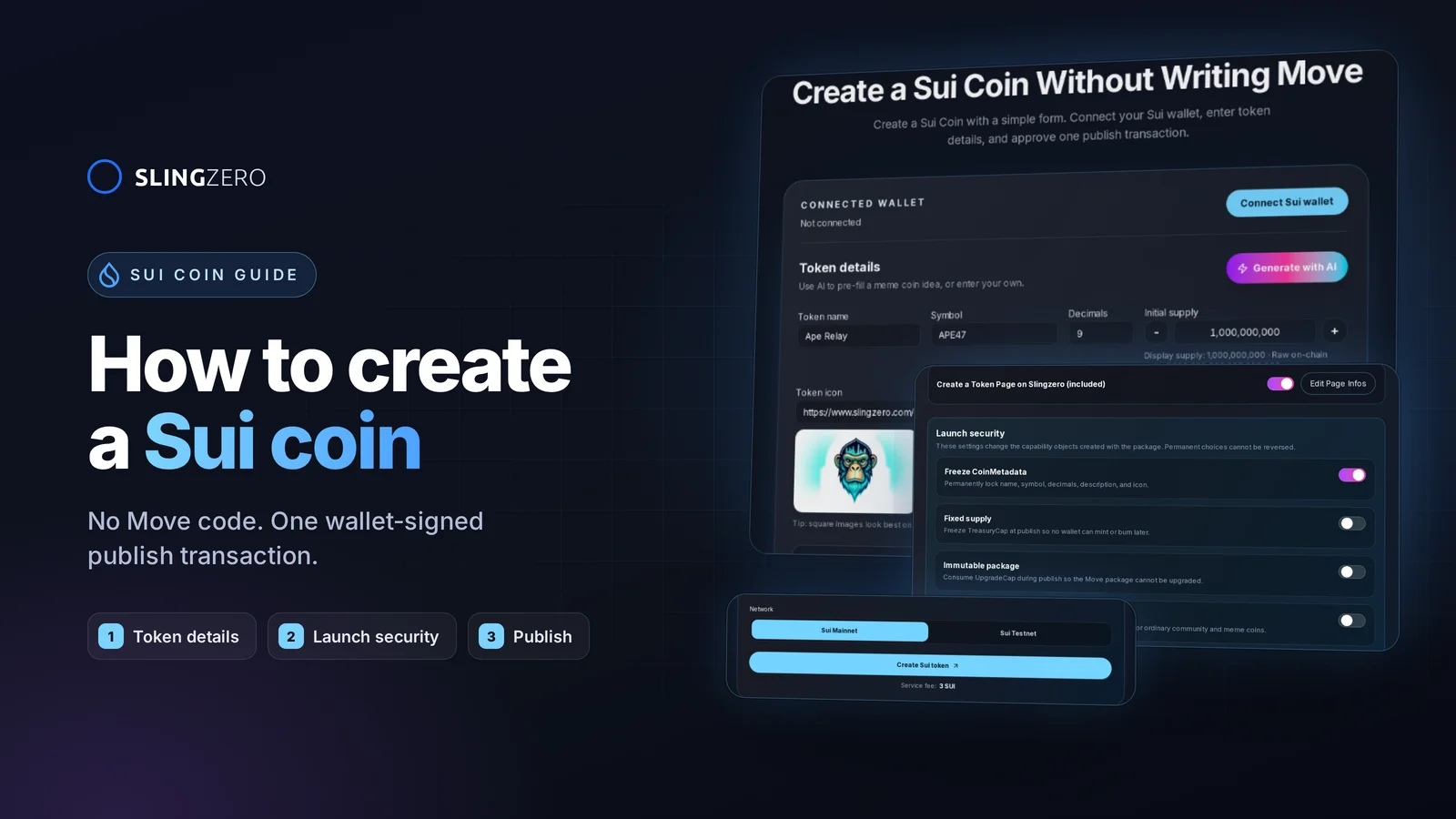
How to create a Sui coin (quick answer)
To create a Sui coin without writing Move code:
- Open the Sui Coin Creator and connect a Sui wallet.
- Enter the token name, symbol, decimals, initial supply, description, and logo.
- Choose your launch security settings: freeze metadata, fixed supply, immutable package, or a regulated coin.
- Select Sui Testnet for a rehearsal or Sui Mainnet for the live launch.
- Click Create Sui token, review the fee and gas in your wallet, and approve the publish transaction.
- Save the Coin type, package ID, and transaction digest, then manage the coin from Sui Manage.
The rest of this guide walks through each step with screenshots of the current creator, explains what each Sui-specific setting does, and lists what to publish after launch so holders can verify the real coin.
What you get when you create a Sui coin
The Sui Coin Creator turns the form into a Move package and a single wallet-signed publish transaction. That transaction pays the disclosed Slingzero service fee, publishes the package, mints the initial supply to your wallet, and sends the capability objects you chose to keep to the connected creator wallet.
That is different from deploying an EVM token contract. A Sui coin is identified by a Move type inside a published package, and control over supply and upgrades lives in owned objects such as TreasuryCap and UpgradeCap, not in an owner address on a contract.
Before using Mainnet: run the same form on Sui Testnet, keep the transaction digest, and confirm that the resulting Coin type and capability objects show up in the connected wallet.
Sui token basics: package, Coin type, and capabilities
Sui uses a Move-native object model, so a coin launch has different moving parts than a Solana SPL token, Ethereum ERC-20, or BNB Chain BEP-20 token:
- Package: The published Move package that defines the coin.
- Coin type: The canonical identifier, shaped like
0xpackage::module::COIN. Two coins can share a name and symbol, but never a Coin type. - CoinMetadata: The on-chain name, symbol, decimals, description, and icon URL.
- TreasuryCap: The capability object that authorizes minting and burning.
- UpgradeCap: The capability object that authorizes upgrading the package.
- DenyCap (optional): Only exists for regulated coins and controls the address deny list.
- Transaction digest: The public reference for the publish transaction.
The official Sui Coin Standard documentation explains how Sui represents Move-native coins, and the Currency Standard documentation covers TreasuryCap behavior in more detail. Slingzero's job is to make those mechanics usable from a wallet-first interface.
Step-by-step: create a Sui coin with Slingzero
Step 1: Open the Sui Coin Creator and connect a wallet
Go to Create Sui Token and click Connect Sui wallet. You can sign in with Google or connect an existing Sui wallet such as Slush or Phantom.

Connect the wallet that should publish the package and receive the capability objects. Slingzero does not custody your Sui token authority: every transaction is reviewed and signed in your wallet.
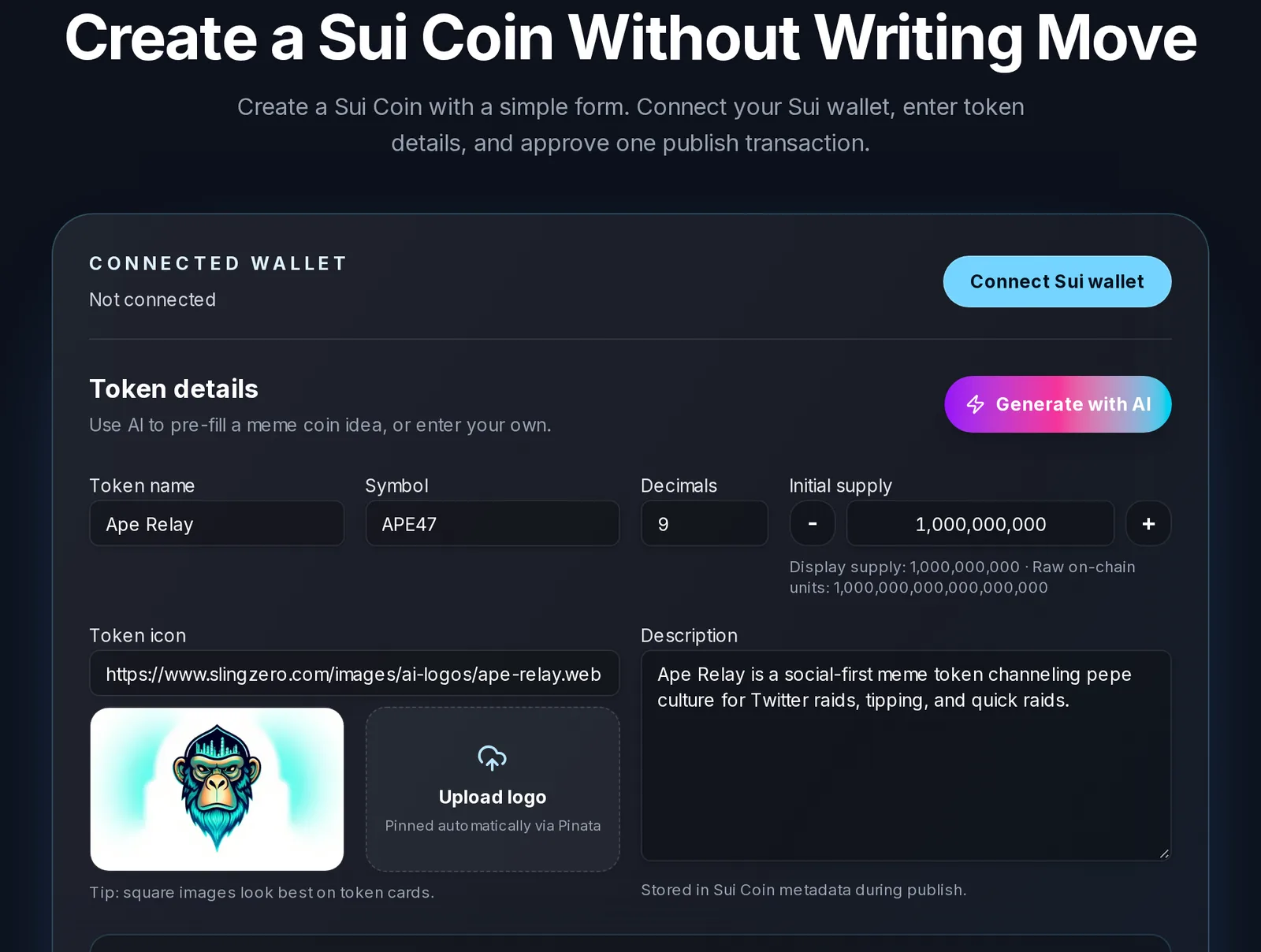
Step 2: Enter the token details
Fill in the token identity:
- Token name: The public name shown in wallets and explorers.
- Symbol: The ticker. Keep it short and uppercase.
- Description: One or two sentences about the token's purpose. It is stored in the Sui CoinMetadata during publish.
- Token icon: Upload a square image (up to 1 MB) or paste an image URL. Uploaded logos are pinned to IPFS through Slingzero's Pinata-backed upload flow, so the metadata URL stays stable.
Need a starting point for a meme coin? Generate with AI pre-fills a name, symbol, description, and logo that you can edit before launch.
Step 3: Set decimals and initial supply
Enter the initial supply and decimals. The creator previews both the display supply and the raw on-chain units, so you can see how 1,000,000,000 tokens with 9 decimals becomes 1,000,000,000,000,000,000 base units.
The creator defaults to 9 decimals, which matches SUI itself. Only change it if your asset model requires it: decimals are part of the published currency definition and cannot be changed later.
Step 4: Choose your launch security settings
This is the most important Sui-specific step. The Launch security panel decides which capability objects exist after publish and who can use them. Permanent choices cannot be reversed.
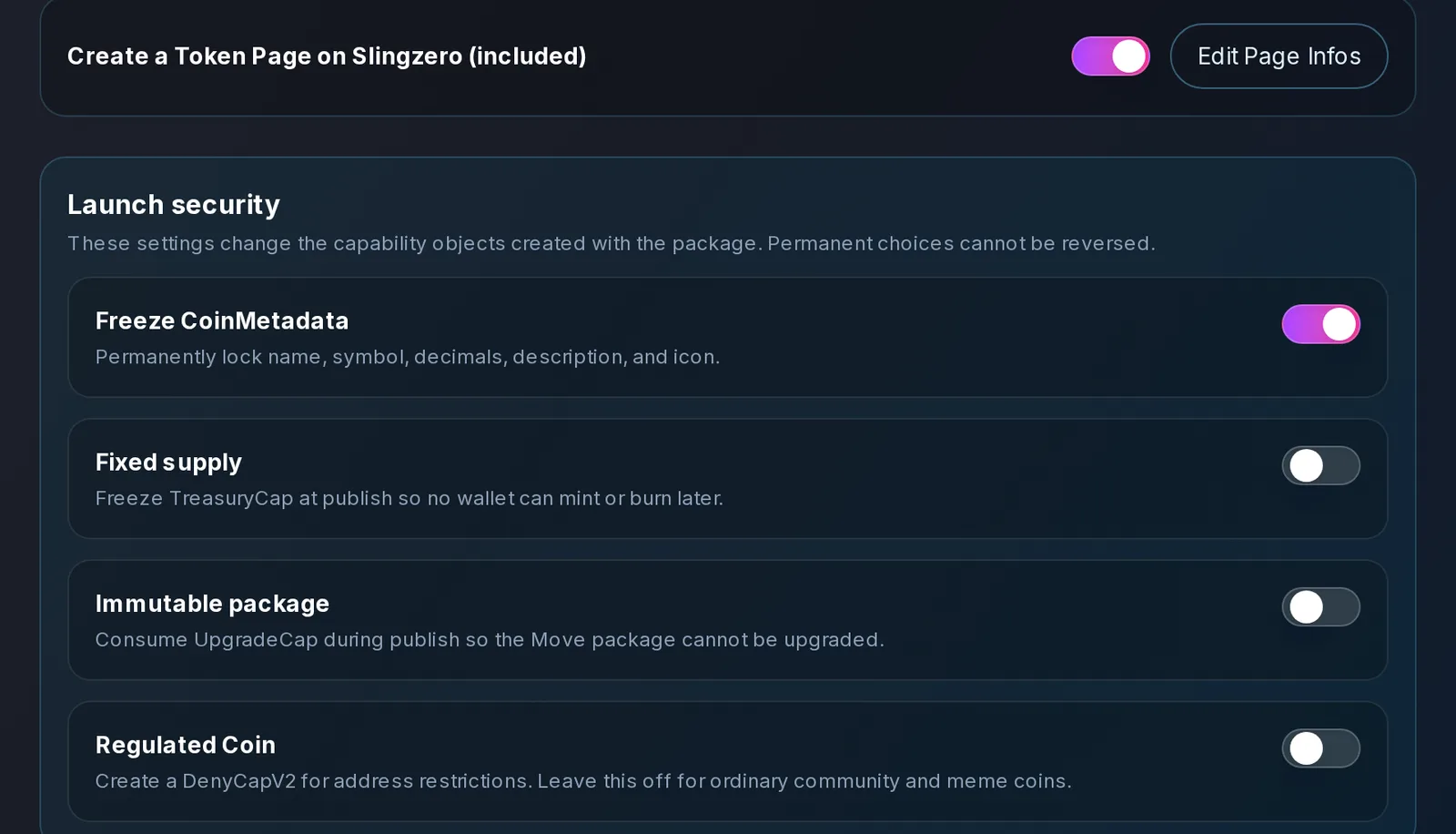
- Freeze CoinMetadata (on by default): Permanently locks the name, symbol, decimals, description, and icon. Holders know the token's identity cannot be swapped later.
- Fixed supply: Freezes the
TreasuryCapat publish so no wallet can ever mint or burn through it. Leave it off if you plan to mint more supply later. - Immutable package: Consumes the
UpgradeCapduring publish so the Move package can never be upgraded. - Regulated Coin: Creates a
DenyCapV2for address restrictions. Leave this off for ordinary community and meme coins.
If you enable Regulated Coin, two more options appear:

- Allow global pause: Lets the DenyCap holder pause transfers for the entire coin.
- Freeze DenyCap: Permanently disables deny-list and pause changes at launch.
Which settings should you pick? For a community or meme coin where holders expect no further changes, turning on Freeze CoinMetadata, Fixed supply, and Immutable package gives the strongest trust signal. If you need to mint later or upgrade the package, keep those caps and document who holds them. You can still freeze or transfer them later with Fix Sui Checks and Transfer Capabilities.
Step 5: Customize your free token page (optional)
Every Sui launch includes a public Token Page on Slingzero. Click Edit Page Infos to add a cover image, website and social links, and a tokenomics breakdown before you publish.

Step 6: Choose the network and publish
Select Sui Testnet to rehearse or Sui Mainnet for the live launch, then click Create Sui token. The service fee is shown under the button.

Before you approve, confirm:
- The connected wallet is the intended creator wallet.
- The selected network matches your launch plan.
- The wallet holds enough SUI for the service fee plus gas.
- Name, symbol, supply, decimals, description, logo, and security settings are final.
The creator then runs three stages:
- Prepare Sui transaction: Generate and compile the Move package and build the publish transaction.
- Approve in wallet: Review the fee and gas in your wallet and sign.
- Publish and index coin: Execute the transaction, then resolve the package, Coin type, and capability objects from the transaction effects.
Once indexing completes, you are redirected automatically. If your coin is fully locked (metadata frozen, fixed supply, immutable package, and a frozen DenyCap for regulated coins), you land on the public token page. Otherwise, you land in the Sui Coin Manager, where the remaining capabilities can be used.
How much does it cost to create a Sui coin?
Creating a Sui coin with Slingzero costs a service fee of 3 SUI plus the network gas for publishing the Move package. The fee is shown in the creator before you click publish, and the exact total appears in your wallet prompt. See Pricing for current fees across all chains.
Gas for a package publish is higher than for a simple transfer, so keep some SUI in the wallet on top of the fee. Testnet launches use free Testnet SUI from a faucet.
Manage your Sui coin after launch
After launch, open Sui Manage. Connect the controlling wallet to pick from coins whose capabilities it holds, or click Enter a coin type manually and paste the 0xpackage::module::COIN value.

For focused actions, the Sui Tools hub covers every supported operation:

- Mint Tokens and Burn Tokens with the TreasuryCap you control.
- Airdrop to up to 100 recipients in one transaction with the Coin Multisender.
- Freeze remaining capabilities with Fix Sui Checks.
- Hand authority to a DAO or multisig with Transfer TreasuryCap or Transfer Capabilities.
- Manage deny lists for regulated coins with Regulated Coin Controls.
- Hand off to Cetus, Turbos, or Bluefin pool tools from the Liquidity Hub.
If your logo does not show up in an explorer right away, follow the SuiScan icon guide. Explorers and wallets use their own indexes and caches, so a valid IPFS icon URL can take time to appear.
Public verification checklist for a Sui coin launch
Do not rely only on social posts. Publish a permanent page on a domain the project controls and link it from official channels. Include:
- Official coin name and symbol.
- Chain: Sui Mainnet or Sui Testnet.
- Coin type in
0xpackage::module::COINformat. - Package ID and transaction digest.
- Which capabilities were frozen at launch, and who holds the rest.
- Initial supply and decimals.
- Logo and metadata links.
- Explorer links such as Suiscan or Sui Explorer.
This gives holders a stable source of truth that is much harder to fake than a copied ticker or logo.
Launch-day checklist
Before you publish:
- Rehearse on Testnet.
- Finalize name, symbol, description, logo (1 MB max), decimals, and initial supply.
- Decide which capabilities to freeze at launch and which to keep.
- Use the wallet that should receive the remaining capabilities.
- Fund the wallet with SUI for the service fee and gas.
After publishing:
- Save the transaction digest, explorer URL, and Coin type.
- Check that the coin loads in Sui Manage.
- Add the Coin type and package ID to your official website.
- Document TreasuryCap, UpgradeCap, and DenyCap custody.
- Review launch actions in Activity.
Sui vs. Solana, Ethereum, and BNB Chain token creation
The Slingzero interface is consistent across chains, but the on-chain result is not:
- Create Solana Token: an SPL mint, controlled by mint and freeze authorities.
- Create Ethereum Token: an ERC-20 contract with an owner address.
- Create BNB Chain Token: a BEP-20 contract with an owner address.
- Create Sui Token: a published Move package with a canonical Coin type, controlled by capability objects.
Always use the complete network-specific identifier when documenting the asset. Launching on several chains? See the multichain token launch checklist.
FAQ: creating a Sui coin
Fast answers for founders comparing token launch, authority, liquidity, and post-launch workflows.
Can I create a Sui token without coding?
Yes. Slingzero's Sui Coin Creator generates and compiles a Move-native coin package from a form, then prepares a single wallet-signed publish transaction. You never write or deploy Move code yourself.
How much does it cost to create a Sui coin?
The Slingzero service fee is 3 SUI, plus Sui network gas to publish the package. Both are shown before you approve the transaction in your wallet.
Does Slingzero custody my Sui token authority?
No. The transaction is signed from your connected Sui wallet, and any capability objects you keep, such as TreasuryCap and UpgradeCap, are transferred to that wallet after publishing.
How do I make a Sui coin with a fixed supply?
Turn on Fixed supply in the Launch security panel. The creator freezes the TreasuryCap at publish, so no wallet can mint or burn through it afterwards. This cannot be undone.
Can I change my Sui token's name or logo after launch?
Only if CoinMetadata was not frozen and you still hold the authority to update it. Freeze CoinMetadata is on by default because it guarantees holders the token's identity will not change.
Can I test the Sui token creator before Mainnet?
Yes. Select Sui Testnet in the creator to rehearse the full workflow with Testnet SUI before launching on Sui Mainnet.
What is a Sui coin type?
The coin type is the canonical on-chain identifier for the coin, shaped like 0xpackage::module::COIN. Use it to load the token in Sui Manage and to share the official asset with users.
Why does my Sui token logo not show in the explorer?
Explorers and wallets rely on their own indexes and caches, so a valid IPFS icon URL can take time to appear. The SuiScan icon guide explains the discovery steps.
Next step
Open Create Sui Token and start on Testnet if this is your first package publish. Move to Mainnet once the metadata, supply, decimals, security settings, and wallet are final.