How to Create a Liquidity Pool on Solana (Raydium CPMM, No Code)
Create a Raydium liquidity pool for your SPL token in one wallet-signed transaction: pick SOL or USDC as the quote, set the starting price with your deposit amounts, and manage liquidity afterwards. Screenshots for every step.
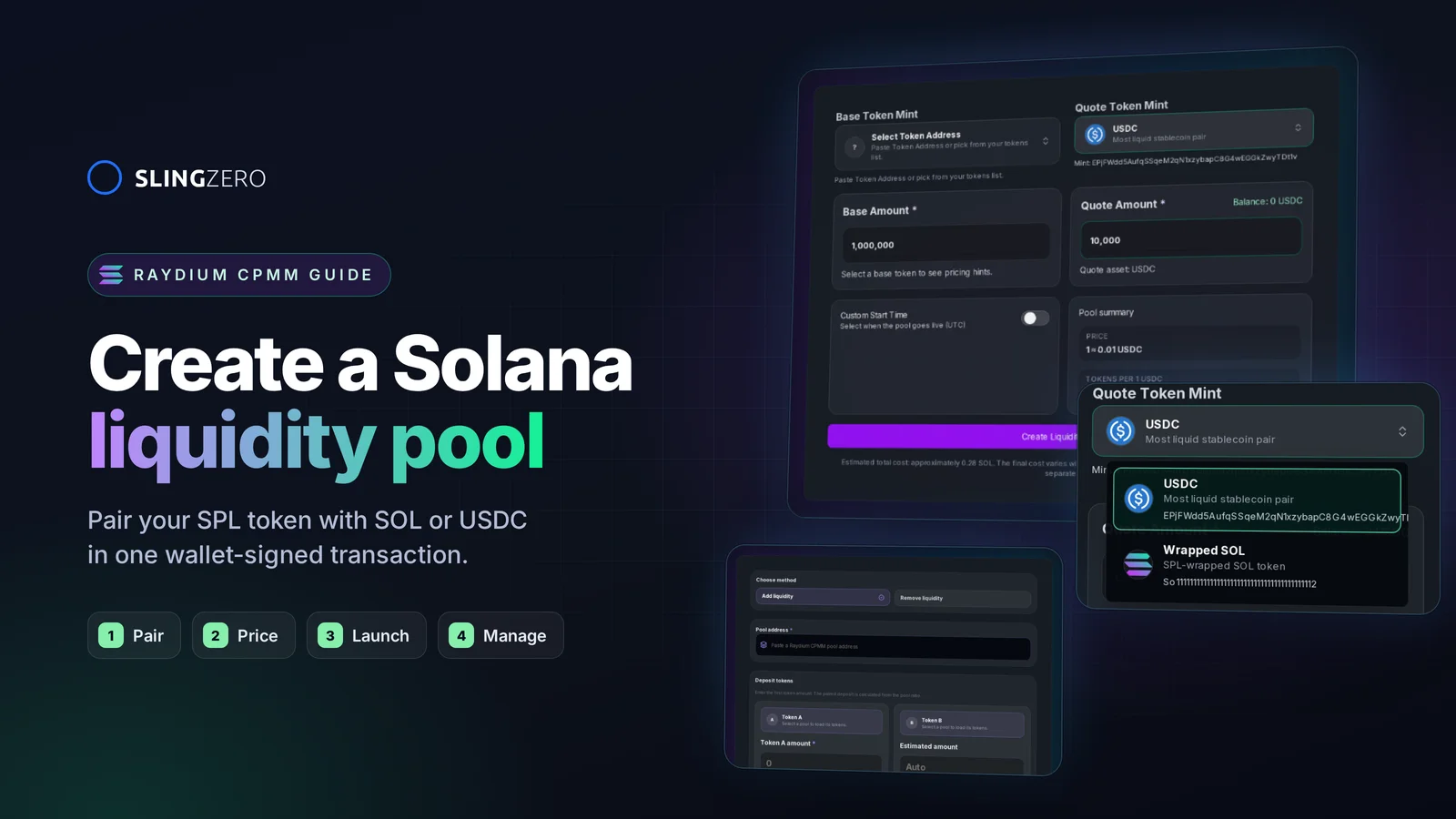
How to create a liquidity pool on Solana (quick answer)
To create a Raydium liquidity pool for your SPL token without code:
- Open Create Raydium Liquidity Pools and connect the Solana wallet that holds your tokens.
- Select your token as the Base Token Mint.
- Choose USDC or Wrapped SOL as the Quote Token Mint.
- Enter the base and quote amounts. Their ratio sets the starting price.
- Optionally schedule a Custom Start Time (UTC) for trading to open.
- Click Create Liquidity Pool, review the transaction in your wallet, and approve.
- Save the pool ID and transaction signature, publish them, and manage the position from Manage Raydium Liquidity.
Budget roughly 0.28 SOL for fees and account setup, plus the tokens and SOL or USDC you deposit. The sections below cover each step with screenshots, how to pick the starting price, and what to do once the pool is live.
What is a Solana liquidity pool?
A liquidity pool is an on-chain account that holds two tokens, such as your SPL token and USDC, so anyone can swap between them without an order book. The price comes from the ratio of the two reserves: when someone buys your token, the token reserve shrinks, the USDC reserve grows, and the price rises.
Slingzero creates Raydium CPMM pools. CPMM (constant product market maker) is Raydium's standard pool type for new tokens:
- It does not need an OpenBook market, which used to be a separate, costly step for Raydium AMM v4 pools.
- It supports classic SPL Token mints and most Token-2022 mints.
- Swaps through the pool earn trading fees for liquidity providers.
- Your token becomes tradable on Raydium and on aggregators such as Jupiter once they index the pool.
The official Raydium CPMM guide describes the pool type in more detail.
Before you create the pool
A pool is often the moment a token becomes public, so finish these first:
- Create the token and finalize its metadata. If you have not launched yet, start with How to Create an SPL Token on Solana Without Code.
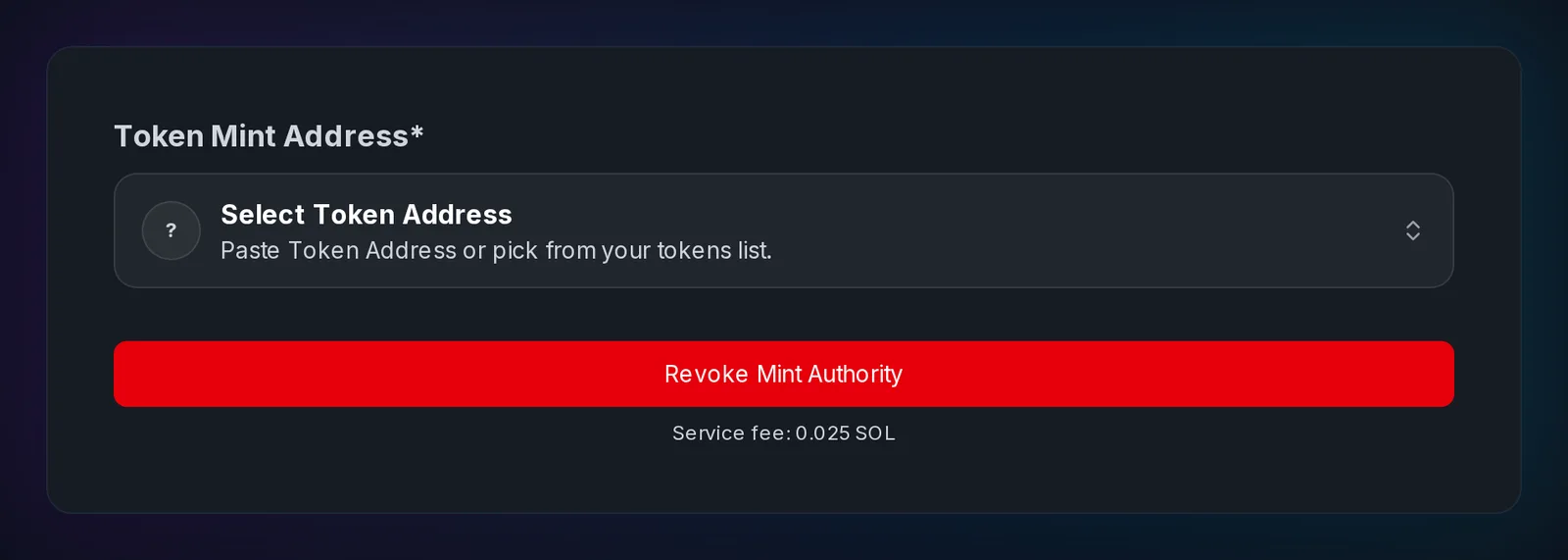
- Decide on mint and freeze authority. Many traders and screening tools treat an active mint or freeze authority as a risk. If supply is final, revoke mint authority and revoke freeze authority before the pool opens. See Token Authority Decisions.
- Fund the wallet. It needs the base tokens, the quote tokens (SOL or USDC), and about 0.28 SOL for fees and account rent.
- Use a compatible wallet. The wallet must support signing a transaction batch, which Phantom, Solflare, and Backpack do.
- Rehearse on Devnet. The tool supports Devnet with Devnet USDC and Wrapped SOL, so you can test the full flow first.
Step-by-step: create a Raydium pool with Slingzero
Step 1: Open the pool creator and connect your wallet
Go to Create Raydium Liquidity Pools and connect the wallet that holds your tokens. The selected network (Mainnet or Devnet) controls which quote tokens are offered and where the pool is created.
Step 2: Choose the base token
Under Base Token Mint, pick your token from the wallet's token list or paste its mint address. The tool reads the mint on-chain, including its decimals and token program, so amounts are converted to the right on-chain units.
Step 3: Choose the quote token: USDC or SOL
Under Quote Token Mint, choose what your token trades against:
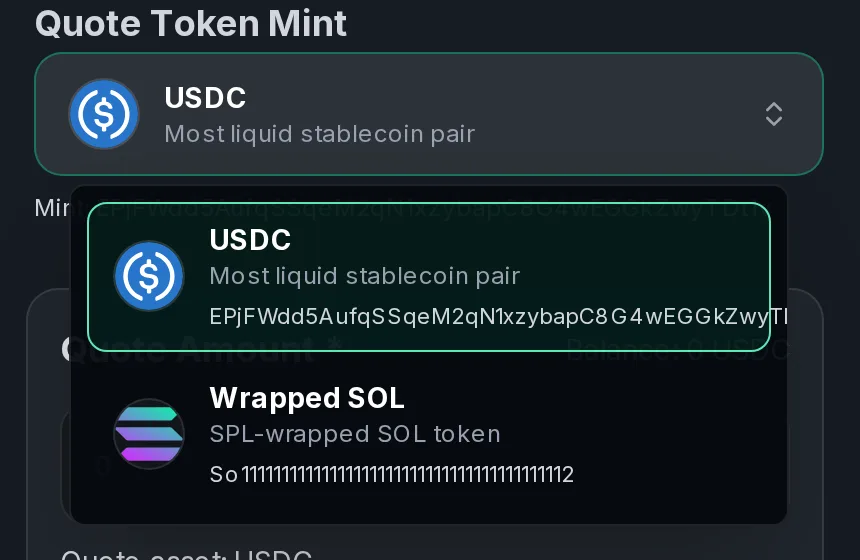
- USDC: the price is quoted in dollars, which is easier for holders to read and does not move with SOL's price.
- Wrapped SOL (WSOL): the most common pairing for Solana meme coins and community tokens. You deposit regular SOL; the transaction wraps it automatically.
Pick the asset your buyers already hold. A pool paired with an asset they do not have adds an extra swap for every buyer.
Step 4: Enter amounts and set the starting price
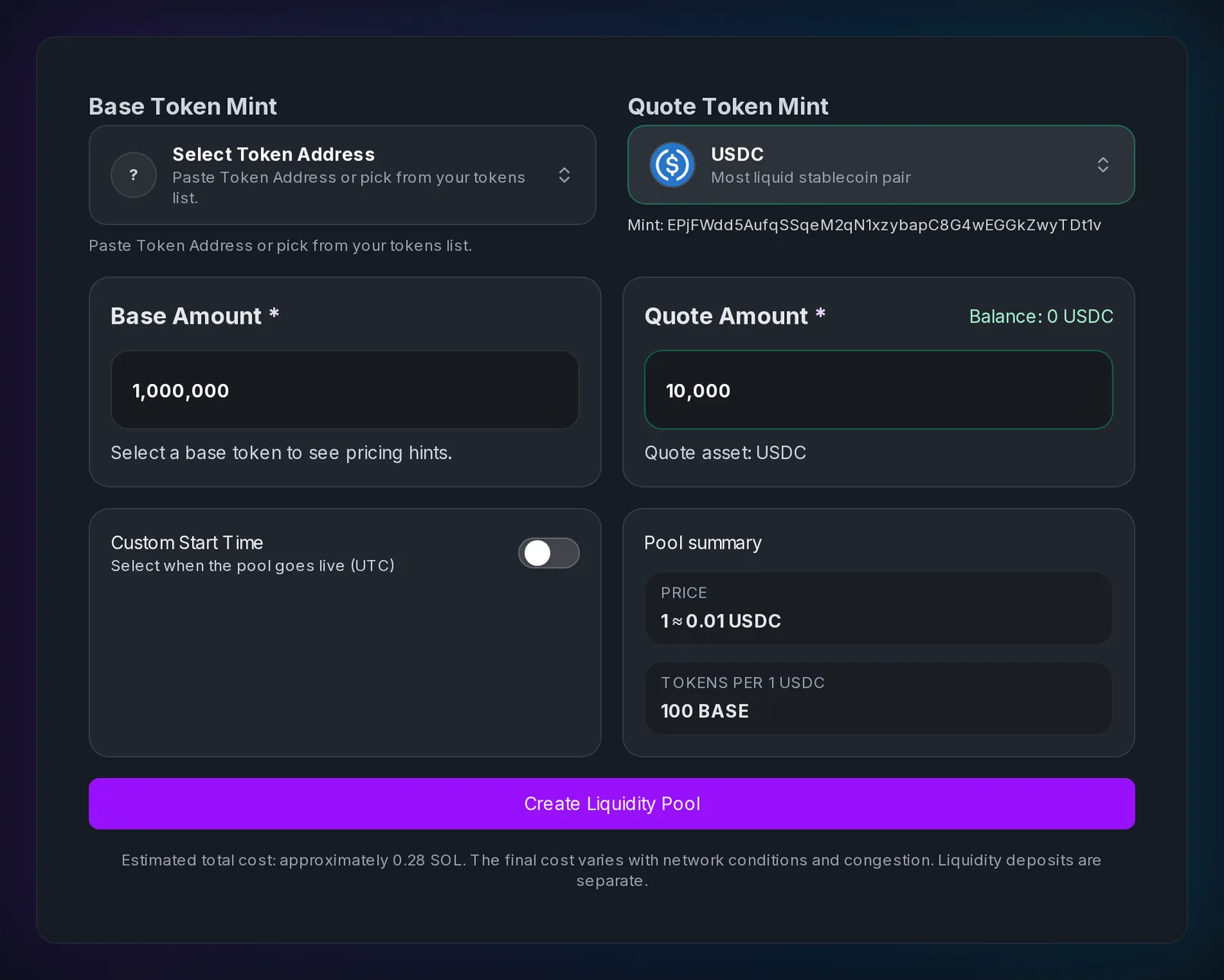
Enter the Base Amount (your tokens) and the Quote Amount (USDC or SOL). The Pool summary shows the resulting price and how many tokens one unit of the quote buys.
The starting price is simply:
Starting price = quote amount ÷ base amount
In the screenshot above, 1,000,000 tokens and 10,000 USDC give a starting price of 0.01 USDC per token, or 100 tokens per USDC.
How to choose the amounts:
- Start from the price. Decide the launch price first, then size both sides to match it.
- Deeper is steadier. The more value in the pool, the less each buy or sell moves the price. A thin pool lets a single trade move the price sharply.
- Only deposit what you can leave there. Removing liquidity soon after launch is one of the clearest red flags for holders.
- Keep the decimals in mind. Amounts are entered in whole tokens; the tool handles the decimal conversion.
The Token Liquidity Launch Playbook covers ratio planning and depth in more detail.
Step 5: Schedule a start time (optional)
Turn on Custom Start Time to choose when the pool opens for swaps, in UTC. Use it to line trading up with an announcement or listing, or to give your team time to publish the official pool address before trading opens. Leave it off for the pool to open as soon as it is created.
Step 6: Review and approve the transaction
Click Create Liquidity Pool. Slingzero checks the wallet balance, builds the Raydium pool-creation transaction, and opens your wallet for approval. The Slingzero service fee is included in the same transaction as the pool creation, so both succeed or fail together: if the pool fails on-chain, no service fee is charged.
When the transaction confirms, the tool shows the new pool ID. The creation is also recorded in Activity with the pool ID, both mints, and the deposit amounts.
Step 7: Verify and publish the pool
Before you announce:
- Open the transaction on Solana Explorer or Solscan and confirm both deposits.
- Look up the pool ID on Raydium and check the pair and price.
- Make a small test swap.
- Publish the pool ID, transaction signature, deposit amounts, and your LP policy on the project's official page.
How much does it cost to create a liquidity pool on Solana?
The creator shows an estimated total of about 0.28 SOL, separate from your deposits. That covers:
- Slingzero service fee: 0.08 SOL.
- Raydium pool creation fee: about 0.15 SOL, charged by the Raydium protocol.
- Account rent and network fees: the remainder, for the pool, vault, and LP token accounts.
Your deposits are not a fee: they stay in the pool and are represented by the LP tokens sent to your wallet. If the wallet is short on SOL, the tool stops before signing and tells you how much to add.
After the pool is live: manage your liquidity
The pool sends LP tokens to your wallet. They represent your share of the pool and are what you redeem to withdraw liquidity.
Use Manage Raydium Liquidity to:
- Add liquidity: paste the pool address, enter one token amount, and the tool calculates the paired amount from the current pool ratio and your slippage tolerance.
- Remove liquidity: redeem a percentage of your LP tokens for both underlying tokens.
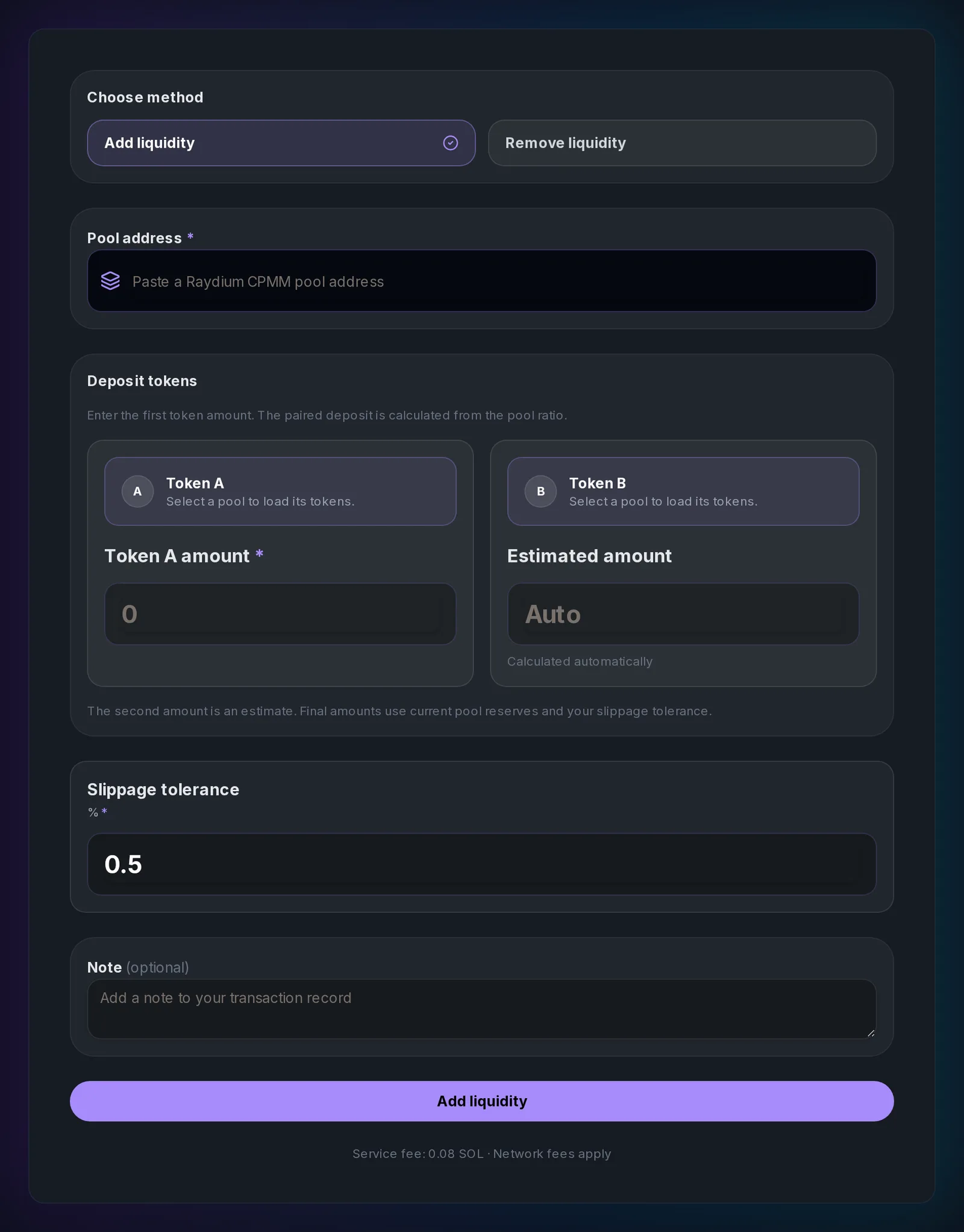
Any wallet can add liquidity to a CPMM pool, and any wallet holding the pool's LP tokens can remove its own position. Each manage action has a 0.08 SOL service fee plus network fees.
Decide what happens to the LP tokens
Whoever holds the LP tokens can withdraw the liquidity, so holders will want to know your policy:
- Team-held: flexible, but holders must trust the team. Disclose the wallet.
- Multisig-held: removing liquidity needs several signers.
- Locked: LP tokens are locked for a set period with a locking service.
- Burned: the liquidity can never be withdrawn. Permanent.
The Token Liquidity Launch Playbook compares these options.
Common Solana liquidity pool mistakes
Getting the starting price wrong
The ratio of your deposits is the price. Swapping the amounts, or forgetting a few zeros, creates a pool at the wrong price that arbitrage traders will exploit within seconds. Check the Pool summary before signing.
Seeding too little liquidity
A pool with very little depth makes the chart extremely volatile and makes larger buys expensive. Size the pool for the attention your launch will get.
Leaving mint or freeze authority active without explanation
Traders check authorities before buying. If you keep them, publish why. If you do not need them, revoke them before the pool opens.
Not publishing the official pool
Copycat pools with the same ticker appear quickly. Publish the official pool ID and your token's mint address from a project-controlled page.
Pulling liquidity early
Removing liquidity soon after launch looks like a rug pull, even when it is not. Announce any planned liquidity changes in advance.
FAQ: Solana liquidity pools
Fast answers for founders comparing token launch, authority, liquidity, and post-launch workflows.
How do I create a liquidity pool on Solana?
Use a pool creator such as Slingzero's Raydium pool tool: connect your wallet, select your SPL token as the base, choose USDC or SOL as the quote, enter both deposit amounts to set the price, and approve one transaction. The pool goes live on Raydium immediately or at the start time you set.
How much does it cost to create a Raydium liquidity pool?
About 0.28 SOL in total with Slingzero: a 0.08 SOL service fee, Raydium's pool creation fee of about 0.15 SOL, and account rent and network fees. Your token and quote deposits are separate and stay in the pool.
Do I need an OpenBook market to create a Raydium pool?
No. Raydium CPMM pools do not need an OpenBook market. Market IDs were only required for the older Raydium AMM v4 pools.
Should I pair my token with SOL or USDC?
Pair with SOL if your buyers are mostly Solana traders who hold SOL, which is the norm for meme coins. Pair with USDC if you want a dollar-denominated price that does not move with SOL.
How is the starting price of my token set?
By the ratio of your deposits: the quote amount divided by the base amount. 1,000,000 tokens with 10,000 USDC starts at 0.01 USDC per token.
Can I add more liquidity later?
Yes. Use Manage Raydium Liquidity to add more at the current pool ratio, or to remove liquidity by redeeming LP tokens. The pair itself and the fee tier cannot be changed after creation.
What are LP tokens?
LP tokens represent your share of the pool. They are sent to your wallet when you create or add to the pool, and you redeem them to withdraw. Whoever holds them controls that liquidity.
Will my token appear on Jupiter and DEX screeners?
Raydium CPMM pools are typically picked up by aggregators and screeners after they index the pool, but each third-party service decides when and how to list it.
Next step
Ready to launch? Open Create Raydium Liquidity Pools, rehearse on Devnet, and publish your pool ID as soon as it confirms. Still preparing? Work through the token launch checklist first.